Explore Cabin’s editors

From signing a PDF to finishing a video, see what you can do with the files already on your device.

Free PDF editor

Fix the PDF you already have.

Correct a line, replace a picture or fill out a form. Save the finished PDF as a separate copy on your device.

  • Type, draw or place a signature and highlight passages for review.
  • Combine, rotate or reorder pages, and redact sensitive content.
  • Use OCR to make printed text in a scanned PDF searchable.
Formats and compatibility

Existing text is edited one line at a time. Placed signatures are visual marks. Password-protected files open in Cabin’s PDF reader.
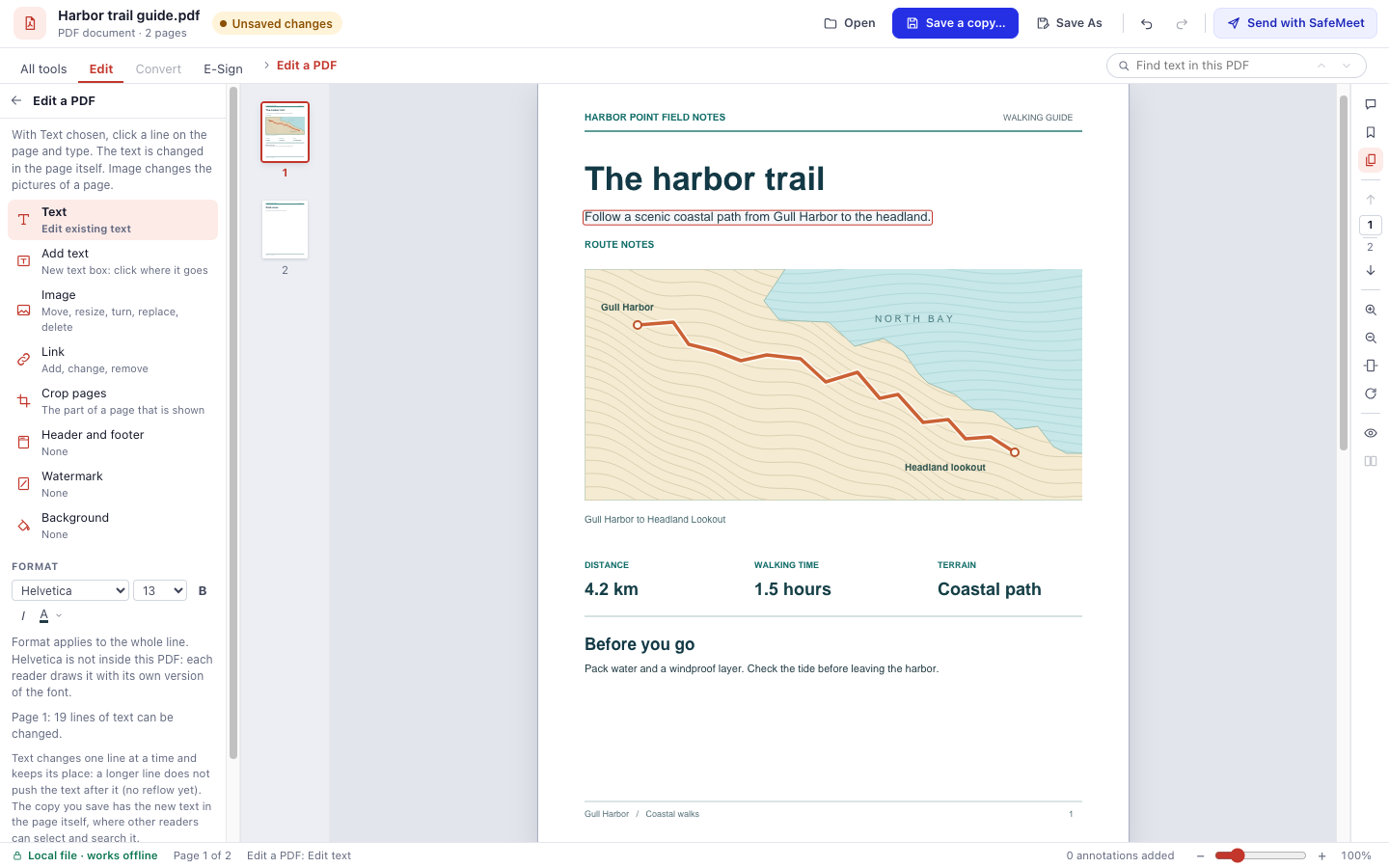
A line of text selected in a walking guide PDF with image, link and crop tools beside the page.

Word document editor

Take a draft through review.

Write a proposal, revise a shared Word document, then save a DOCX or export a PDF for your reader.

  • Format paragraphs with heading styles, spacing, lists and highlights.
  • Insert pictures and tables, then navigate long documents by heading.
  • Add or resolve comments and read existing tracked changes.
Formats and compatibility

Cabin can also import text and headings from Apple Pages. For unsupported Word formatting, Cabin can offer a copy to preserve the original.

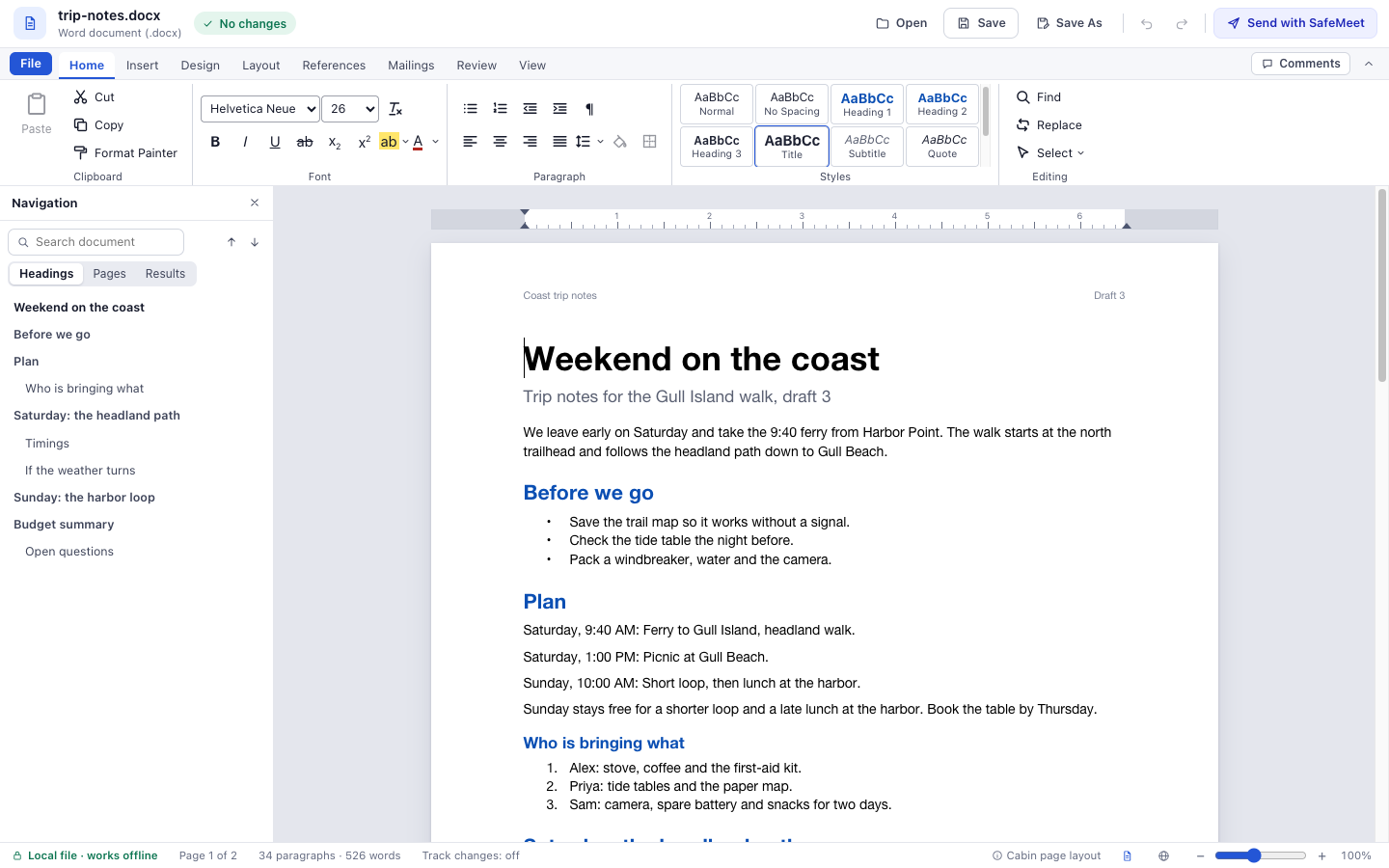
A Word itinerary open in Cabin Documents with paragraph styles, a heading outline and formatted lists.

Excel spreadsheet editor

See what the numbers say.

Open an Excel workbook, compare costs across sheets and chart the results before your next meeting.

  • Total a column with AutoSum or use lookup, date and financial functions.
  • Sort and filter data, freeze headings, change rows and update charts.
  • Import tables from Apple Numbers, CSV and older XLS files.
Formats and compatibility

Save an imported CSV or XLS workbook as XLSX. Cabin flags workbook features it cannot preserve when saving.

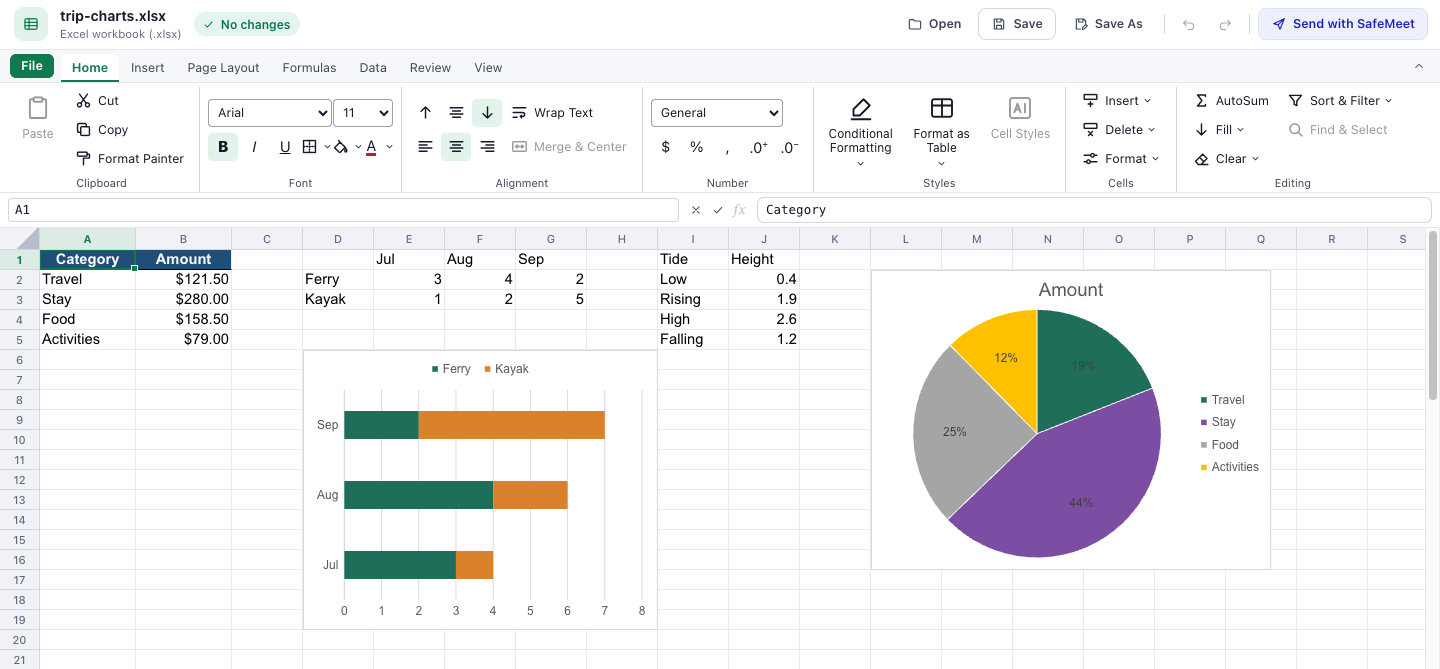
A trip budget in Cabin Spreadsheets with a table, a stacked bar chart and a pie chart.

Free video editor

Cut a story worth watching.

Bring an interview, cutaways and a soundtrack together. Make a full-length edit for YouTube or a vertical cut for social media.

  • Trim, split and reorder clips, add overlays and adjust speed.
  • Mix clip sound and two audio tracks with independent volume and fades.
  • Generate captions on your device, edit them and export SRT or VTT.
Formats and compatibility

On Apple silicon, import VP8, VP9 or AV1 WebM footage and MP3, WAV, Opus or FLAC audio. H.264, HEVC and AAC inputs are unsupported in this release. Export WebM or WAV, or MP4 and M4A when your Mac supports encoding. Choose WebM to reopen an export in Cabin.

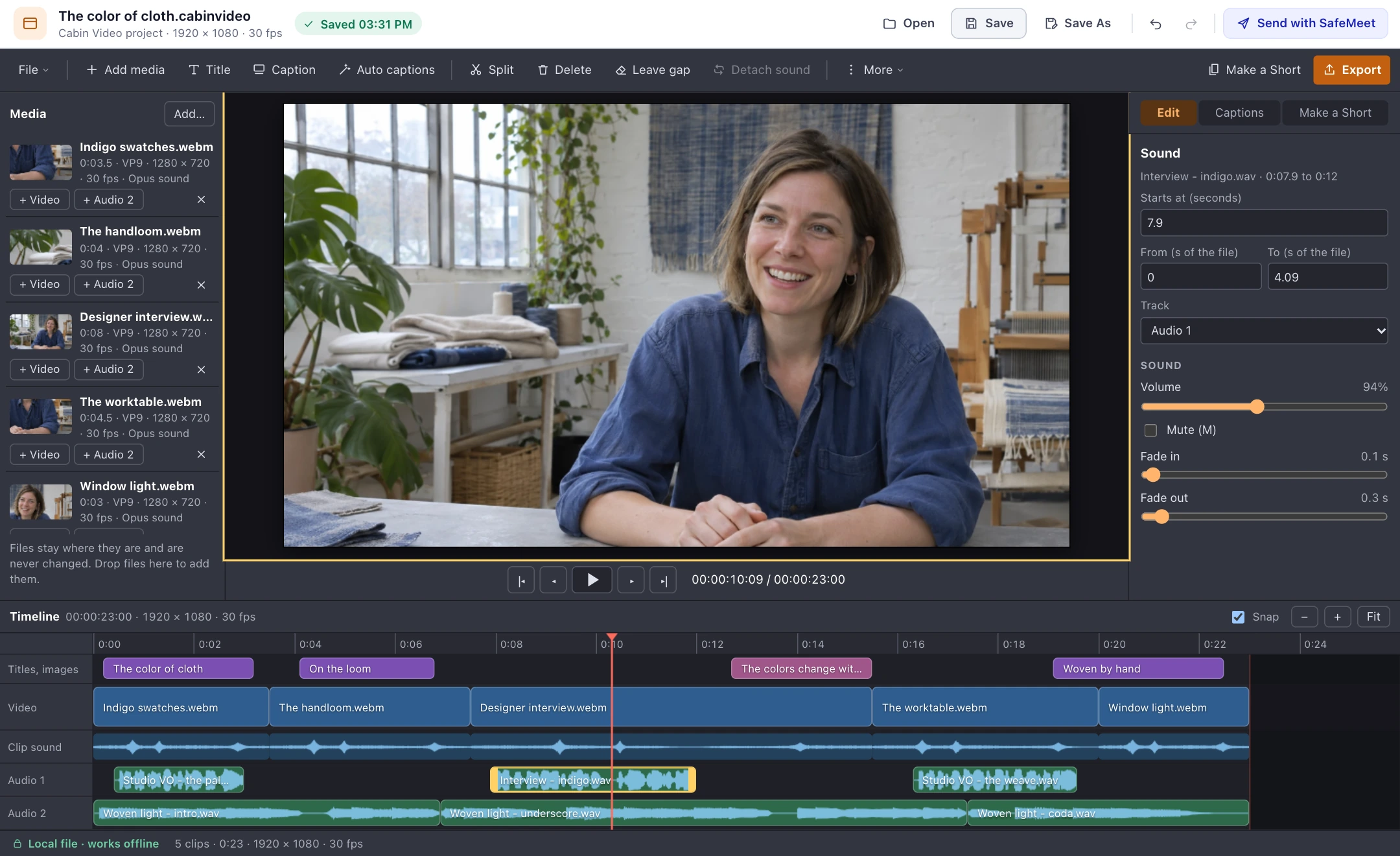
Cabin’s video editor shows a smiling textile designer seated beside a studio window. The timeline below includes video cuts, dialogue and music tracks.

More built into Cabin

Presentations

Start with a template, arrange slides, add notes and present a PowerPoint deck. Import supported Apple Keynote content and save a PPTX copy.

Photo editing

Crop and rotate photos, adjust exposure and colour, or add text and arrows. Export a JPEG, PNG or WebP copy and choose whether to remove location and camera details.

OCR and file conversion

Extract printed text from photos and scans in English, Spanish, Vietnamese, French or German. Batch-convert JPEG, PNG and WebP images, resize a set of photos or combine pictures into a PDF.

Text and code

Edit Markdown, JavaScript, Python, HTML, CSS and other plain-text files. Find and replace text, see syntax highlighting and preserve line endings and encoding.

Private browsing and ad blocking

Browse with tabs, bookmarks and private windows. Cabin checks ad and tracker lists locally. Use the shield to manage blocking for a site. Search suggestions are off by default.

Sharing with SafeMeet

Save your work and choose Send with SafeMeet to open the messaging app. Select the conversation and attach the file you want to send. SafeMeet privacy policy

Download Cabin